Set Up CalDAV Connection on an Android Phone
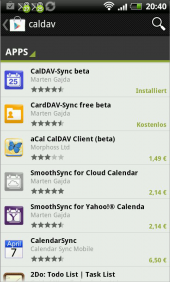
Since Android does not natively support CalDAV, you need to use an app from "Google Play".
Currently, there is no reliable free app; a one-time fee is required. We recommend "CalDAV-Sync beta" by Marten Gajda. You can find it by searching for "caldav". Do not confuse it with "CardDAV-Sync" by the same author.
-
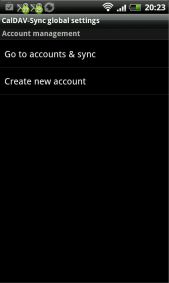
After downloading and opening the "CalDAV-Sync beta" app, tap "Create New Account".
-
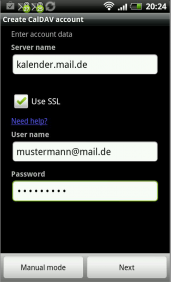
Enter the following information:
- Server name: kalender.mail.de
- Enable SSL
- User name: Your mail.ch username/login
- Password: Your mail.ch password
-
Tap "Next".
-
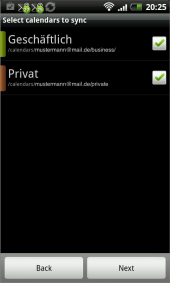
After a short time, your mail.ch calendars will be listed. Select the calendars you want to synchronize, then tap "Next".
-
In the final step, your email address will appear; leave it as is. You can now choose whether synchronization should be one-way from the mail.ch server to your phone or two-way.
TIP: We recommend unchecking the box to enable two-way synchronization.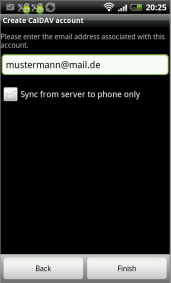
-
Tap "Finish".
-
Your mail.ch calendars are now available in the Android calendar.
When creating events, make sure to select the correct calendar.

