Account recovery
We strongly recommend that you provide at least one (ideally several) piece of information to protect yourself against the loss of your login details. You have the following options:
-
Log in to the login page using your credentials.
-
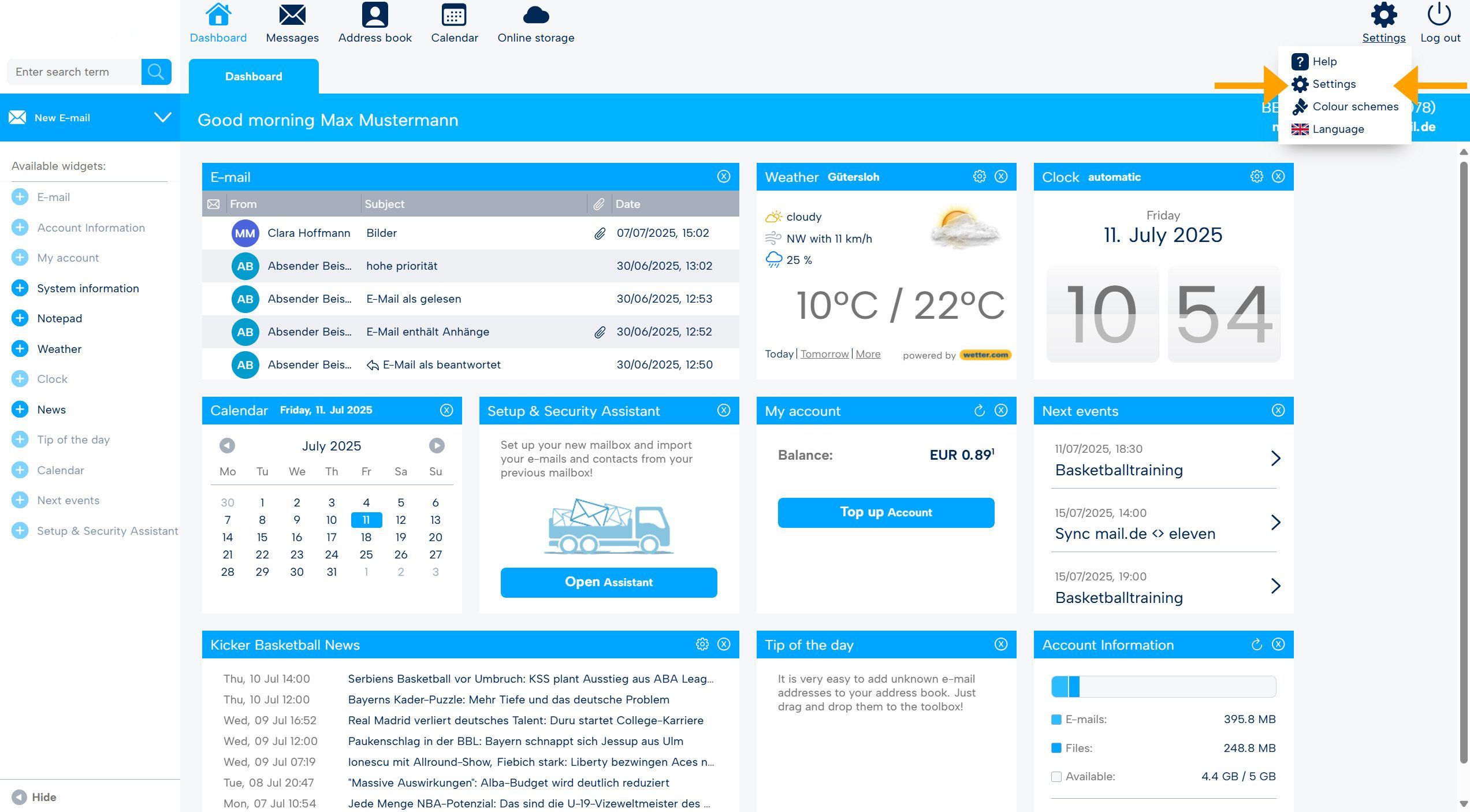
After logging in, you will be on the homepage of the webmailer. From there, go to the settings mode by clicking "Settings" at the top right, and then again on "Settings" in the menu.
-
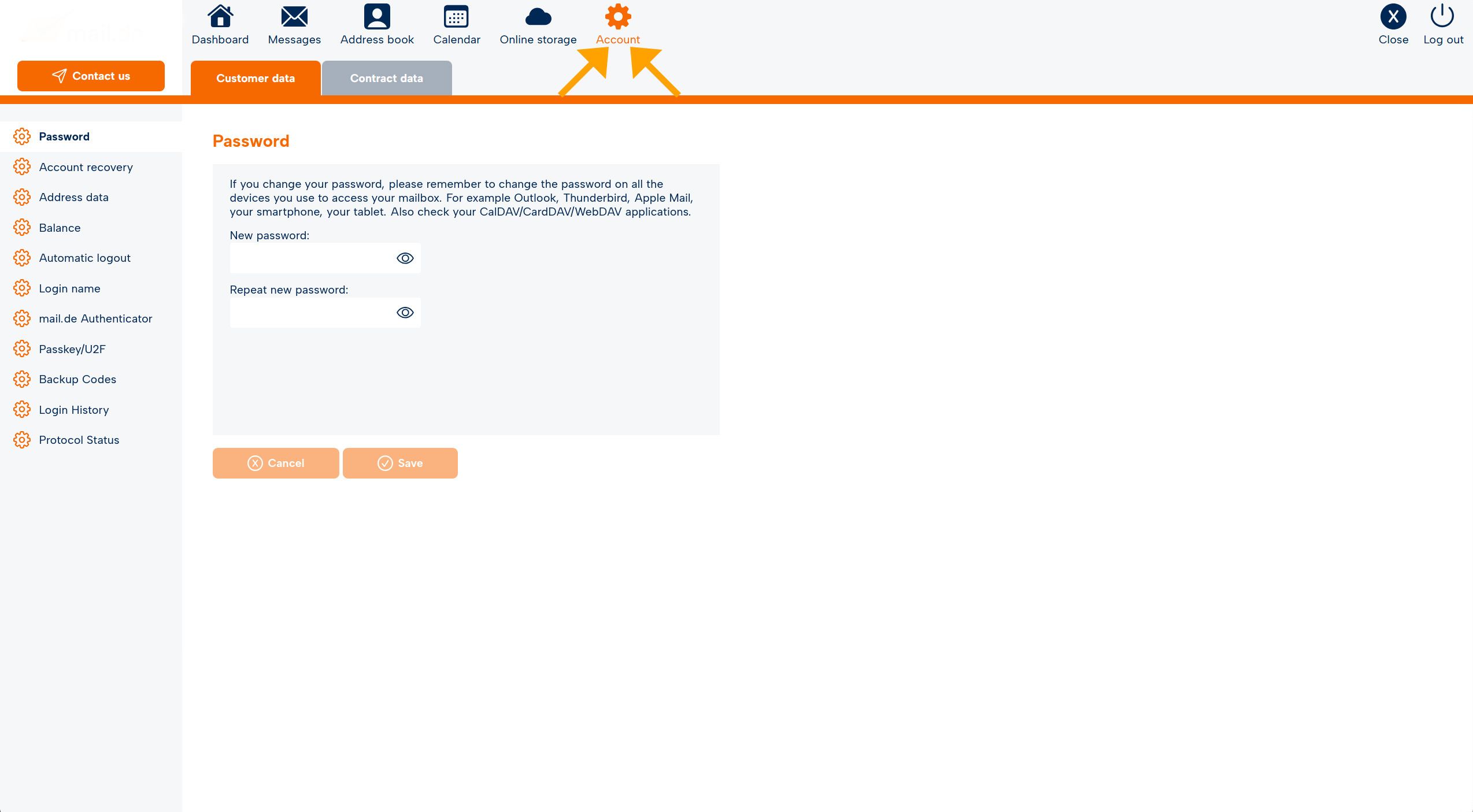
The navigation bar will turn orange; go to the "Account" tab.
-
Directly below, you will find two tabs, select "Customer Data." You will now see the overview as shown in the graphic above and can access the various options.
-
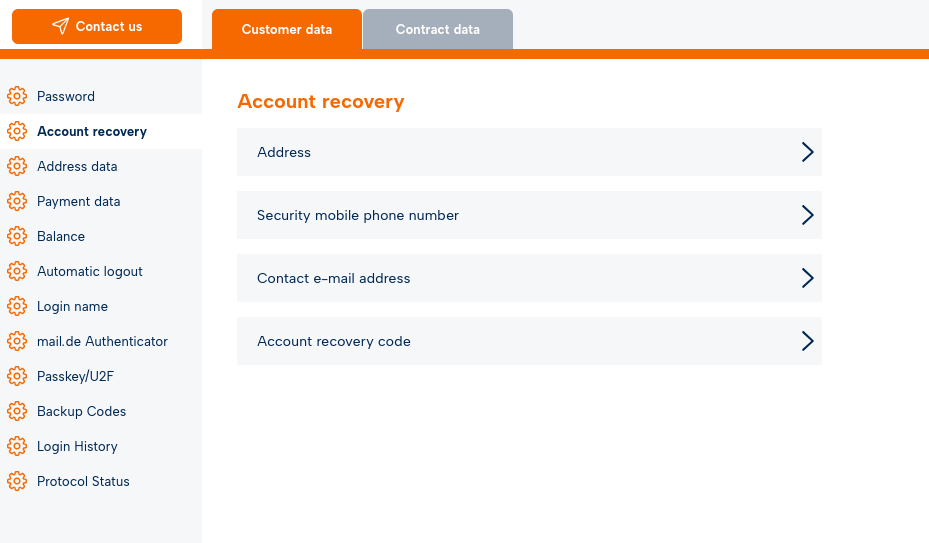
Now select "Account Recovery" from the menu on the left side.
-
Here you have the following options:
Providing your address data
Using your address data, you can reset your login or password by sending us a copy of your ID card. After successful verification, we will provide you with the 16-digit code.
Providing a mobile phone number
We use this mobile phone number to ensure the security of your account. In certain cases, we will contact you through it to enable access to your account – for example, during password recovery, to confirm your identity, for security-related changes, or if suspicious activity is detected. Contact may also occur in the event of imminent account deletion due to prolonged inactivity.
No further use will occur without your express consent.
Providing a contact email address
Using an alternative email address, you can reset your login or password. If you use this method, you will receive a 16-digit code via email.
Creating an account recovery code
Anonymous method: Create a 25-digit "Account Recovery Code". Print out the generated code and keep it safe from unauthorized persons.

